
Shopify Form File Upload: Collect Photos and PDFs on Any Page
To collect files from shoppers on a Shopify page, add a form that has a file question and stores the files for you. Shopify's own contact form takes text only, so this takes a form app. With Formlane you can put a form with a photo or PDF question on any page, or open it from a button on every page.
This guide covers where a file form makes sense, the one built-in Shopify option and its limits, and the steps with Formlane.
Where stores ask for files
A file question saves a long back-and-forth by email. Common uses:
- Returns and damaged items. A photo of the problem, sent with the order number, before you approve a return.
- Custom orders. A sketch, a logo or a reference photo for a product you make to order.
- Wholesale and trade. A price list request with the buyer's documents attached.
- Quotes. Measurements or a plan as a PDF, for work you price per job.
Each of these is a message to you, not a purchase. That matters for which tool fits.
The built-in option: a file on the product page
Shopify has one place where shoppers can send a file without an app: the add-to-cart form on a product page. A theme can add a file box there with a line item property, a box named like properties[Your photo]. The file is then attached to the order. Shopify's product template docs mention file uploads as one use.
This fits a product you print or engrave. It does not fit the cases above:
- It needs a theme code change, and the box sits inside the product form.
- The file only reaches you when the shopper buys.
- It cannot ask questions in a different order or show a box only for some answers.
The contact form is no help either. It sends text fields by email and has no way to take a file.
Make a form with a file question in Formlane
Formlane is a Shopify app we make. It adds forms to your store and saves every message, with its files, in an inbox inside your Shopify admin.
1. Start from a ready form
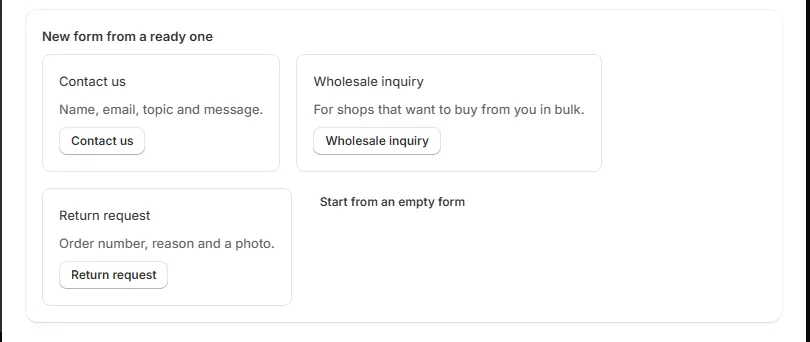
Install Formlane and go to Forms. Under New form from a ready one, pick a form. Return request asks for the order number, the reason and a photo. Wholesale inquiry is for shops that want to buy from you in bulk. Or press Start from an empty form.
2. Add the file question
Press Add a question and pick File or photo. A file question takes photos (JPG, PNG, GIF, WebP and HEIC) and PDFs, up to 10 MB each. Add a note under the box that says what you need, like A photo of the label, or a PDF.
You can also use the other question types: short or long answer, email, phone, number, date, a drop-down list, pick one, pick any, and an agree box. Tick Must be filled in for a question shoppers must answer.
3. Ask for the file only when it applies
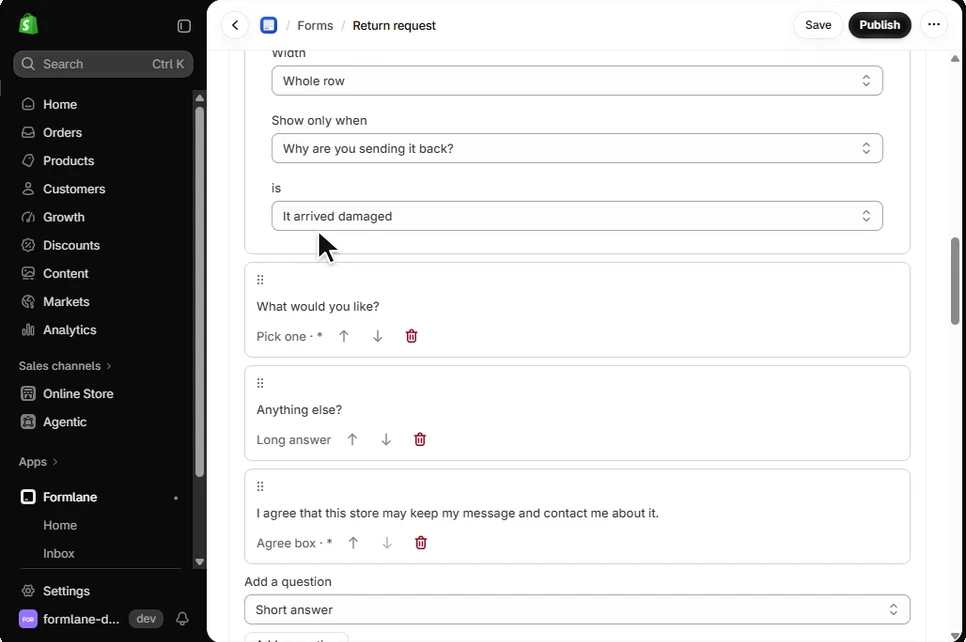
Under Show only when, pick a choice question above and one answer. In the ready return form, the photo box shows only when the shopper picks It arrived damaged.
4. Choose where the form shows
A form shows where you put its block. You have three places:
- Your contact page. On Home, press Add it to my contact page, then Save in your theme.
- Any other page. In the theme editor, add the Formlane form block to a page, and type the form's Short name in the block. You find the short name in the form page.
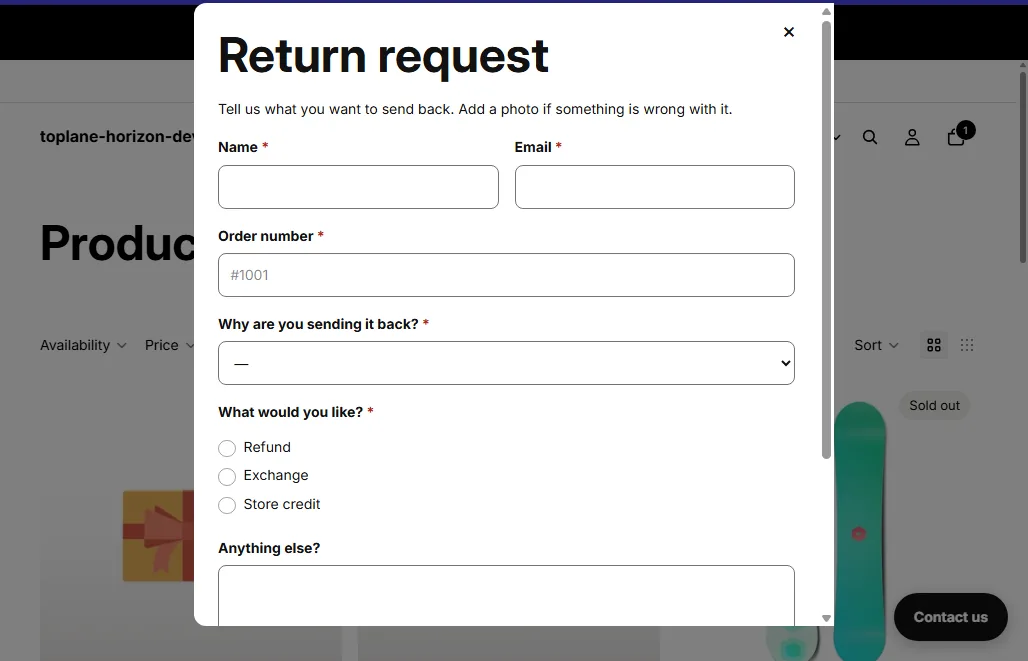
- A button on every page. Open the form and, under Contact button on every page, turn on Use this form for the button. Press Turn on the button, then Save in your theme. The button opens the form in a box without leaving the page.
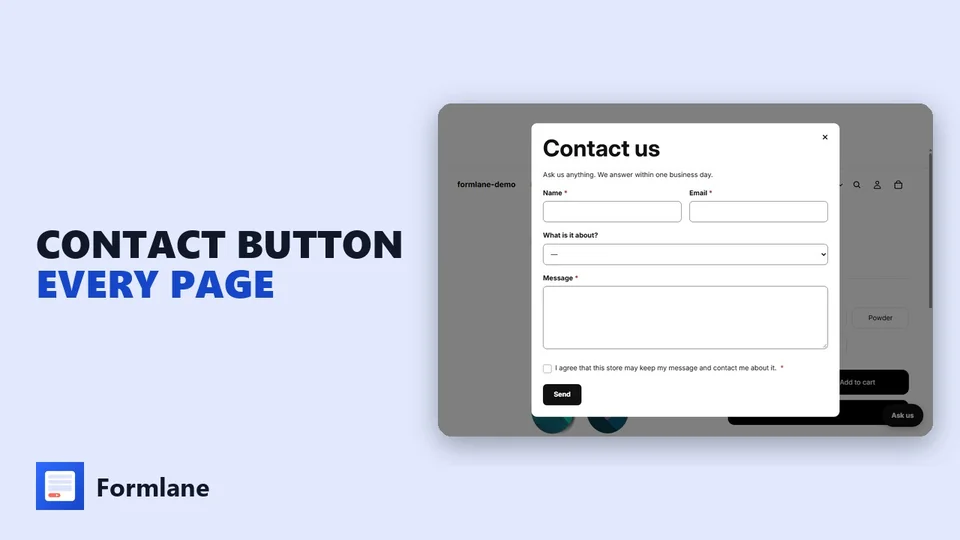 Play the video: How to Add a Floating Contact Button to Shopify (2026)
5. Publish and read the files
Press Publish. File questions, questions that show only when needed and the contact button are Pro parts, so the first time you use one, Shopify asks you to approve Pro. The first 30 days are free.
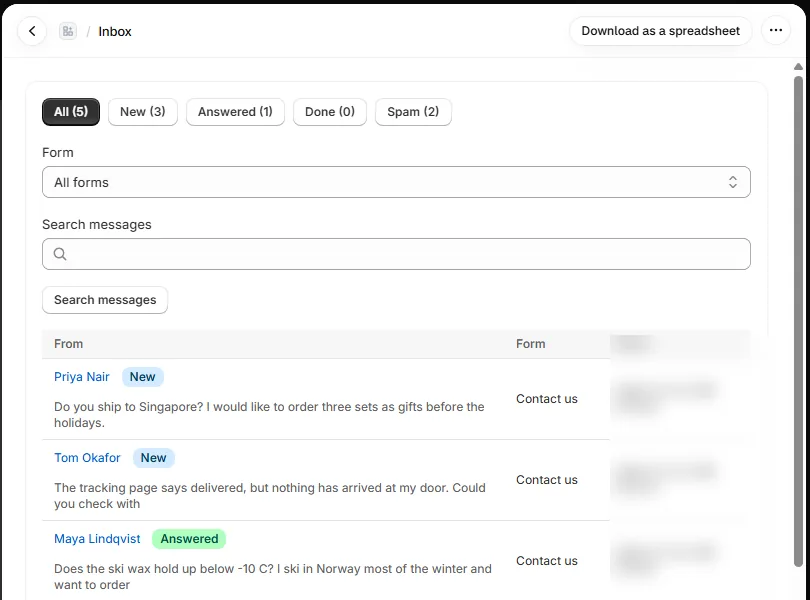
When a shopper sends the form, the message lands in your Inbox first, then an alert goes to your email. Open the message to see each answer under its question, with the files. Search finds words in any message, and Download as a spreadsheet gives you every message in one file.
Limits and privacy
| Limit | |
|---|---|
| Questions in a form | Up to 30 |
| File questions in a form | Up to 3, with up to 3 files each |
| Size of each file | Up to 10 MB |
| Forms on your store | Up to 24 on Pro, one on Free |
| Messages | No limit, on both plans |
Files are never public. Only you can open them, from your Shopify admin. Messages and their files are kept for 24 months, and you can pick 3, 6, 12 or 24 months under Privacy in the app. If you remove the app, we delete your data within 48 hours.
What it costs
Formlane's Free plan covers one form, every message in your inbox, a spreadsheet download, a spam tab and alerts to one email. File questions are part of Pro: $7.99 a month or $79.90 a year, $17.99 a month on Shopify Plus. Pro also adds up to 24 forms, questions that show only when needed, the contact button, alerts to up to three emails and a reply that goes to the shopper by itself. Details on Plans and trial.
Questions people ask
Can I put a file upload form on a product page?
Yes. Add the Formlane form block to your product template in the theme editor. The message goes to your inbox, not to an order. If the file must be part of the order, use a line item property instead.
Can shoppers send more than one file?
Yes. Each file question takes up to 3 files, and a form can have up to 3 file questions.
Can I take a file without a form app?
Only on the product page, with a line item property in your theme code, and only when the shopper buys. Shopify's contact form cannot take files.
Do I need to know code?
No. You build the form in Formlane and add it to a page in the theme editor. Formlane does not change your theme code.