
How to Add a File Upload to Your Shopify Contact Form
Shopify's built-in contact form has no file upload. It sends the text that shoppers type to your store email, and there is no file box you can turn on in the theme editor. To let shoppers attach a photo or a PDF, you need a form app that keeps the files for you, such as Formlane.
Below: what the built-in form does, why files need more than a theme change, and the steps to add a photo or PDF question to your contact page with Formlane.
What Shopify's contact form can do
Most themes come with a Contact form section. In Dawn it has four boxes: Name, Email, Phone number and Comment. When a shopper presses Send, Shopify emails the message to your store. It costs nothing and needs no setup.
With a small theme code change, you can add more text boxes. Each box in Dawn's form has a name like contact[Phone number], and any box you add with a name in the same pattern shows up in the email you get. Our guide on creating a custom contact form shows how.
What you cannot add this way is a file box. The contact form sends text only, so a file a shopper picks never reaches you. There is also no list of messages in your Shopify admin: each message arrives as an email, and if that email is missed, there is no copy to go back to.
Why a file upload needs an app
A photo or a PDF has to be stored somewhere, kept private and opened only by you. A theme cannot do that on its own.
Shopify does have one place where shoppers can send a file: the product page. A theme can add a file box to the add-to-cart form with a line item property, so the file goes with the order. Shopify's product template docs describe it. That is the right tool for a photo printed on a product, but it only works when the shopper buys. For returns, damaged items, quotes or questions, you need a form.
Add a photo or PDF question with Formlane
Formlane is a Shopify app we make. It adds a form to your store and saves every message in an inbox inside your Shopify admin before any email goes out. File questions are part of its Pro plan, and the first 30 days are free.
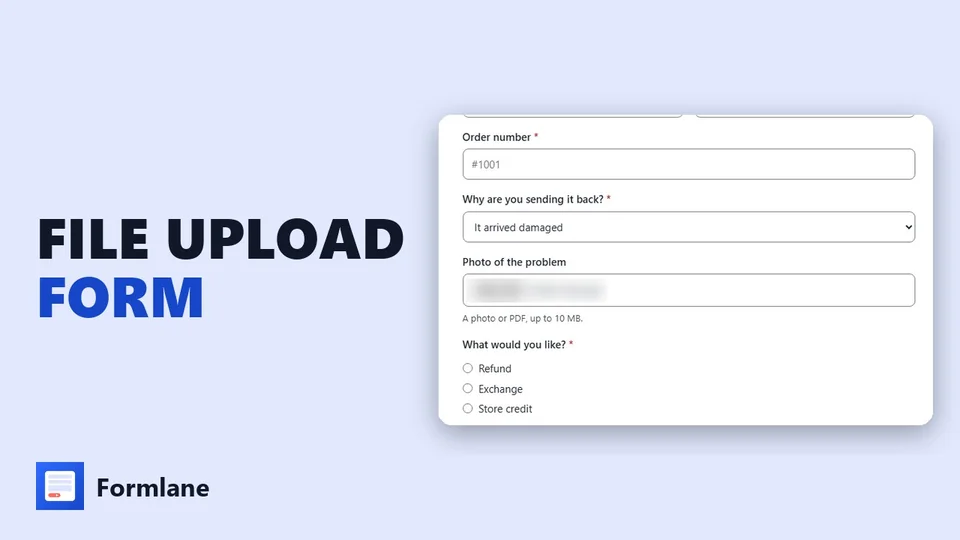 Play the video: How to Add a File Upload to Your Shopify Contact Form (2026)
1. Install Formlane and pick a ready form
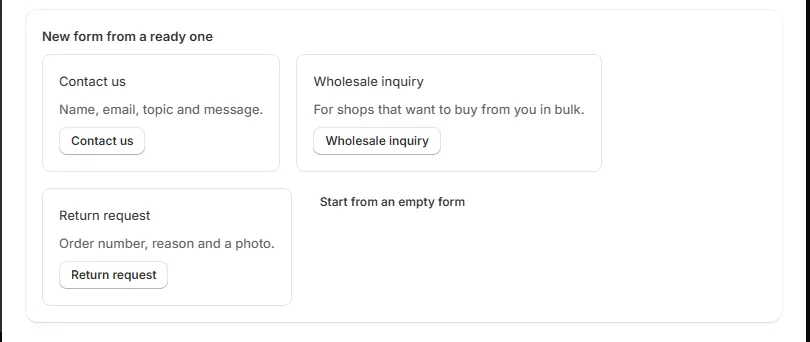
Install Formlane from the Shopify App Store. Home shows three ready forms: Contact us, Wholesale inquiry and Return request. The Return request form already asks for a photo. Or pick Contact us and add the photo question yourself.
2. Add a File or photo question
In the form page, press Add a question and pick File or photo as its type. Give it a name shoppers will understand, like Photo of the problem. Tick Must be filled in if every message needs a file, and add a short note under the box, for example A photo or PDF, up to 10 MB.
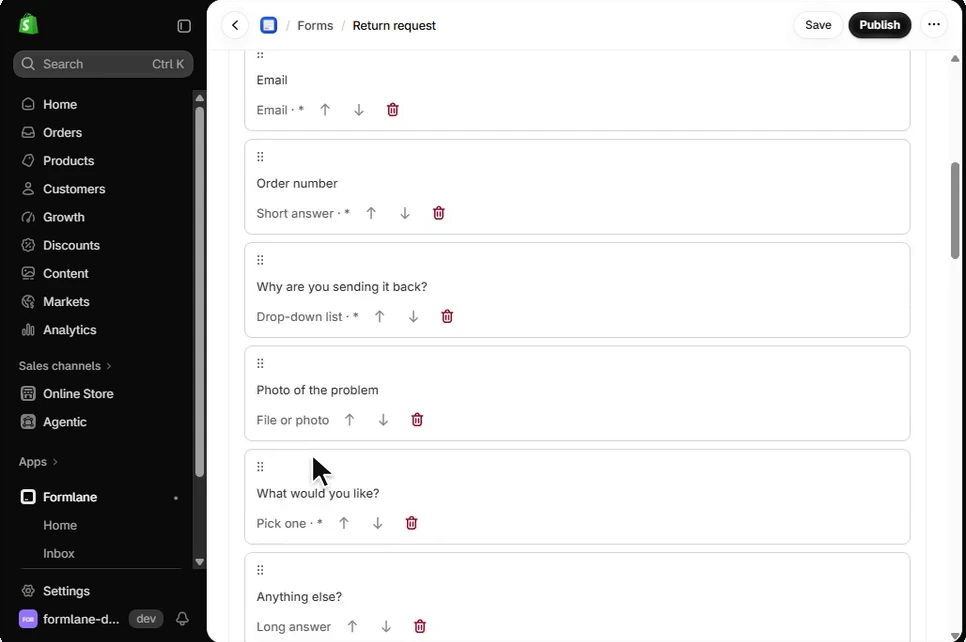
A file question takes photos (JPG, PNG, GIF, WebP and HEIC) and PDFs, up to 10 MB each. A form can have up to 3 file questions, and shoppers can add up to 3 files to each.
3. Show the file box only when it is needed
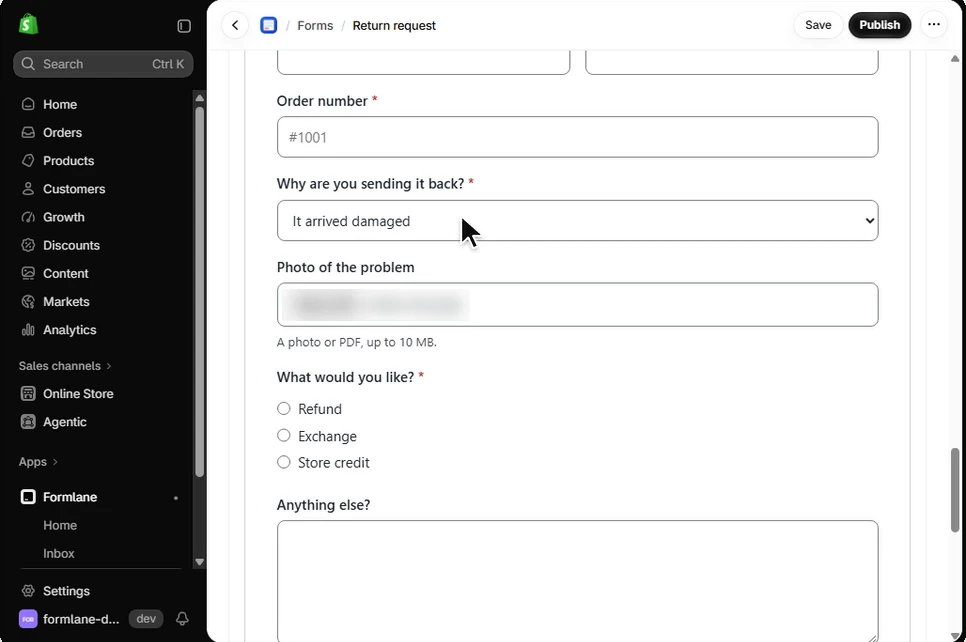
A photo box on every message can put shoppers off. Under Show only when, pick a choice question above it and one answer. For example, the photo box can show only when the shopper picks It arrived damaged. This is part of Pro.
4. Publish
Press Publish. Because a file question is a Pro part, the button says Publish — free for 30 days. Shopify asks you to approve Pro, and you pay $0 today. After the trial, Pro is $7.99 a month.
5. Put it on your contact page
On Formlane's home page, press Add it to my contact page. Your theme editor opens on the contact page with the Formlane form block already added. Press Save.
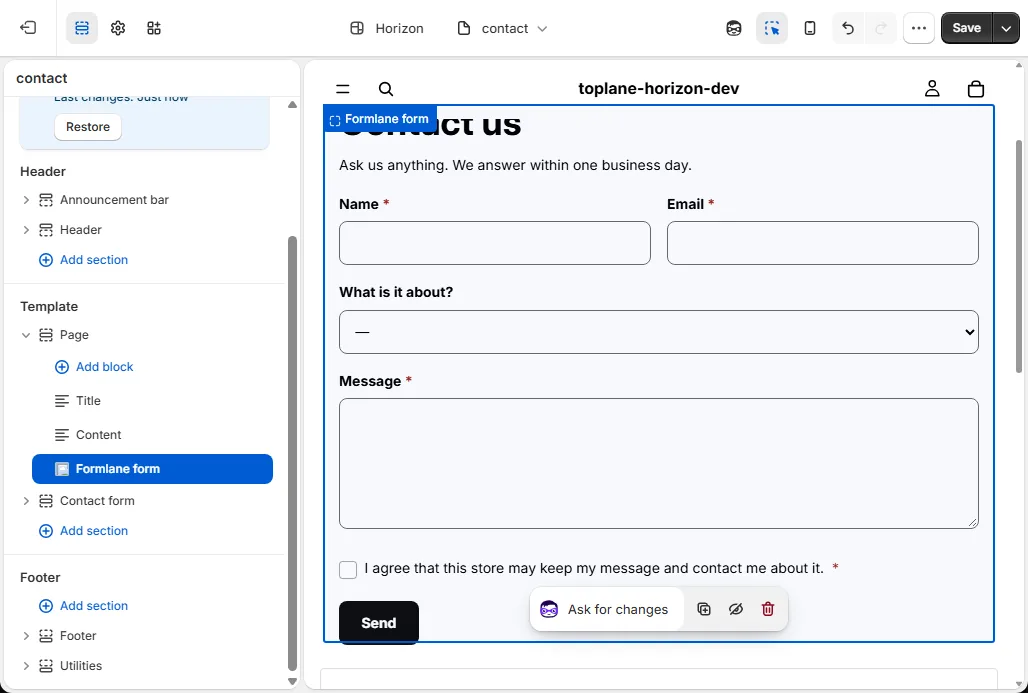
Many themes show their own contact form on that page too. To show only yours, press Open the theme editor, click the eye next to Contact form, and press Save. Formlane's home page tells you if shoppers still see two forms.
6. Open the files in your inbox
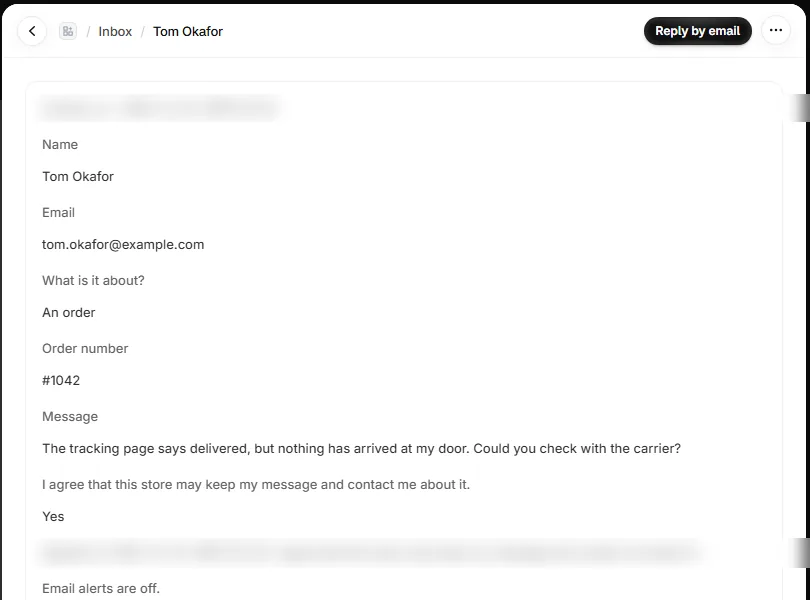
Every message lands in Formlane's Inbox first. Open a message to see each answer under its question, with the files the shopper sent. Only you can open the files, from your Shopify admin. Press Reply by email to answer from your own mail app.
What is free and what is Pro
Free: one form on your store, every message saved in your inbox with no limit, a spreadsheet download, a spam tab, past versions and alerts to one email.
Pro adds file and photo questions, questions that show only when needed, up to 24 forms, a contact button on every page, alerts to up to three emails and a reply that goes to the shopper by itself. Pro is $7.99 a month or $79.90 a year ($17.99 a month on Shopify Plus). See Plans and trial.
If you cancel Pro, you move to Free. A form that uses Pro parts, like a file question, stops taking messages, and your store shows your email in its place. Your messages stay in your inbox, and you can download them at any time.
Questions people ask
Can Shopify's contact form accept attachments?
No. The built-in contact form sends text fields by email. To take a photo or a PDF, use a form app that stores files, or a line item property on the product page if the file belongs to an order.
What files can shoppers send with Formlane?
Photos (JPG, PNG, GIF, WebP and HEIC) and PDFs, up to 10 MB each. A form can have up to 3 file questions, with up to 3 files in each.
Who can see the files?
Only you. Files are never public. You open them from the message in Formlane's inbox, inside your Shopify admin.
Is the file upload free?
Formlane's Free plan covers one form and an inbox with no message limit, but file questions are part of Pro. The first 30 days of Pro are free, then it is $7.99 a month.